Sent Emails
Overview
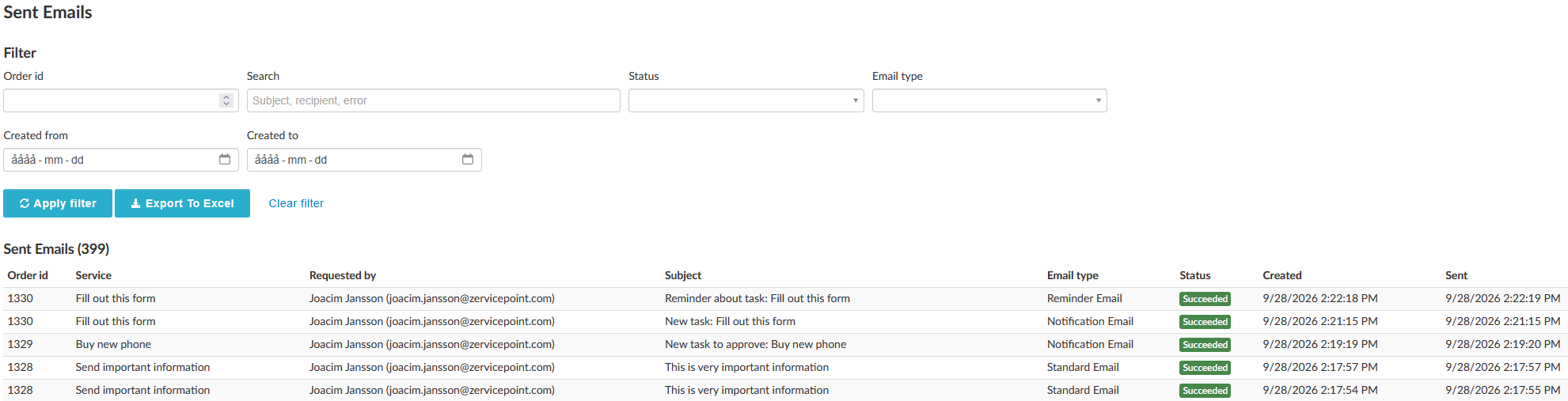
An administration page for all emails sent through Zervicepoint. The list can be filtered, making it easier to find a specific email. The table also displays the Order ID of the order that sent the email.
Note
Only emails sent after upgrading to Zervicepoint version 1.35.2 are displayed here.
Detailed view
Clicking on an email opens a detailed view where you can see the following information:
Metadata
| Property | Comment |
|---|---|
| From | The From address |
| Bcc | Blind carbon copy recipient |
| Cc | Carbon copy recipient |
| Hierarchy id | Hierarchy ID of the activity that sent the email |
| Created | The time when the email command was created |
| Sent | The time when the email was actually sent |
| Last attempted | The time of the last attempt to send the email |
| Tries | The number of attempts required before the email was sent |
Resend email
To resend an email, simply press the Resend button found in the detailed view. To resend the same email to a different recipient, you can change the recipient, as well as the Cc/Bcc recipients, in the Recipients tab.
Note
Only emails sent by the Send Email Activity can have their Recipient/Cc/Bcc fields changed before being resent.